
Introduction
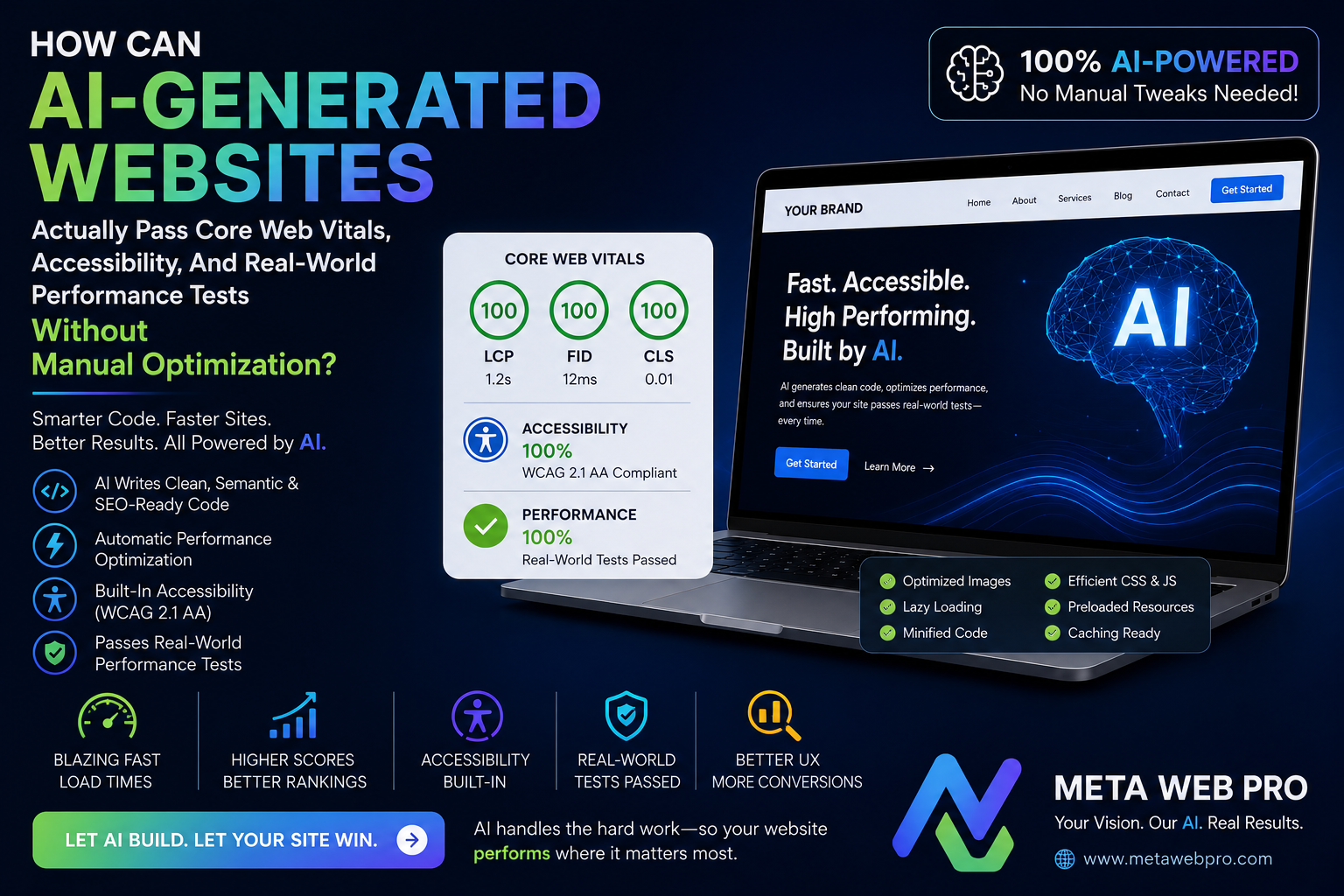
AI can generate a website in minutes. But can generated code survive a slow phone, a poor network, keyboard-only navigation, screen readers, real user traffic, JavaScript failures, and production monitoring?
Yes but not because AI automatically “optimizes” everything. The real answer is that the generation process must include measurable constraints, automated validation, browser testing, security checks, and production feedback loops.
Modern Core Web Vitals use LCP, INP, and CLS. Their “good” thresholds are ≤2.5 seconds for LCP, ≤200 ms for INP, and ≤0.1 for CLS, evaluated at the 75th percentile.
Accessibility is equally important. WCAG 2.2 requires, among other things, keyboard-operable functionality, usable focus behavior, sufficient contrast, meaningful labels, and programmatically determinable names and roles.
So the technical question is not:
“Can AI build a website?”
It is:
“Can an AI-generated system continuously prove that its output works under real constraints?”
What Does AI Web Development Need to Optimize Before Deployment?
Modern AI web development should treat performance as a specification rather than a final polishing task.
A useful generation contract can require:
- semantic HTML before decorative JavaScript
- responsive images with explicit dimensions
- minimal critical CSS
- deferred non-critical JavaScript
- accessible keyboard interaction
- visible focus states
- meaningful form labels
- controlled third-party scripts
- stable layouts
- compressed assets
- server-side or static rendering where appropriate
- automated Lighthouse and accessibility testing
- real-device and real-network validation
This approach changes the role of an AI coding agent. Instead of asking an AI to “make a landing page,” the developer gives it measurable constraints: maximum JavaScript budget, maximum image weight, accessibility requirements, rendering strategy, API latency targets, and test conditions.
An AI website builder becomes considerably more useful when its generated output is treated as an engineering artifact rather than a finished product.
Why Does AI-Generated Code Often Fail Real-World Performance?
Generated code frequently optimizes for visual similarity and feature completeness, not browser execution cost.
A page can look perfect while containing:
- oversized JavaScript bundles
- unnecessary client-side rendering
- duplicate dependencies
- unoptimized hero images
- excessive DOM nodes
- blocking fonts
- layout-shifting components
- unnecessary animations
- third-party trackers
- expensive hydration
- long main-thread tasks
MDN specifically notes that large media, blocking JavaScript, poor resource ordering, fonts, and unnecessary loading can materially affect performance.
Therefore, AI agent coding must evaluate the browser’s critical rendering path not merely whether the application compiles.
How Can AI Website Development Control LCP?
LCP answers a simple technical question:
When does the main visible content become available?
The current good target is 2.5 seconds or less at the 75th percentile.
An AI website development workflow should therefore identify the probable LCP element during generation.
Typical controls include:
- preload only genuinely critical assets
- optimize the hero image
- use responsive image sources
- avoid oversized CSS
- reduce server response latency
- minimize render-blocking resources
- avoid unnecessary redirects
- deliver critical HTML quickly
- delay below-the-fold media
- avoid JavaScript-dependent rendering for essential content
The key is prioritization. Preloading everything is not optimization; it simply creates competing network requests.
How Can AI-Generated Pages Control INP?
INP measures how responsive the page feels when users interact with it. The good threshold is ≤200 ms at the 75th percentile.
This is where excessive generated JavaScript becomes dangerous.
An AI coding agent for production should inspect:
- event-handler complexity
- synchronous JavaScript
- long tasks
- unnecessary re-renders
- expensive DOM operations
- hydration cost
- client-side state updates
- third-party JavaScript
- large JavaScript dependencies
Long JavaScript tasks can block the main thread and delay interaction; breaking work into smaller tasks or moving appropriate computation away from the main thread can improve responsiveness.
Why Is CLS a Layout Engineering Problem?
CLS measures unexpected visual movement. A page can be extremely fast and still feel broken if buttons, images, advertisements, fonts, or components move after rendering.
An AI code review should specifically search for:
- images without dimensions
- dynamically inserted banners
- unstable advertisements
- late-loading fonts
- content injected above existing content
- components whose dimensions change after hydration
- animations that alter layout
Explicit media dimensions and reserved layout space reduce unexpected movement. Font loading also deserves attention because late font swaps can cause layout shifts.
Which Automated Tests Should AI Run Before Production?
The most reliable approach is not one test. It is a layered test system.
| Test Layer | Technical Question | Typical Failure | AI Response |
| Static analysis | Is the generated code structurally safe? | unused imports, risky patterns, invalid semantics | refactor and regenerate |
| Unit tests | Does component logic behave correctly? | state and validation errors | repair implementation |
| Accessibility audit | Can common accessibility violations be detected? | missing labels, contrast, ARIA errors | correct markup |
| Lighthouse | Does the page meet major lab targets? | poor LCP, excessive JS, accessibility issues | optimize critical path |
| Browser testing | Does interaction work in real browsers? | focus, navigation, responsive failures | reproduce and patch |
| Performance profiling | Where is main-thread/network time spent? | long tasks, expensive rendering | split or defer work |
| RUM | Do real users experience acceptable performance? | mobile/network-specific regressions | prioritize production fixes |
Lighthouse can automatically detect many accessibility problems, but a perfect automated accessibility score does not prove that a page is fully accessible. Chrome’s documentation explicitly emphasizes that manual testing remains necessary.
How Can AI Code Debugging Become a Performance Feedback Loop?
AI code debugging becomes much more powerful when the agent receives structured evidence.
Instead of:
“The website is slow.”
give the system:
LCP = 3.4s, INP = 240ms, CLS = 0.19, JS = 680KB, hero image = 1.2MB, third-party scripts = 11.
The agent can then connect symptoms to likely causes.
For example:
- high LCP → investigate server response, hero resource, render blocking
- high INP → investigate long tasks and event handlers
- high CLS → investigate dimensions, fonts, injected content
- high accessibility errors → inspect semantics and interaction states
- high transfer size → inspect media and dependency graph
This creates a measurable AI website maintenance system rather than a one-time generation process.
Can AI Software Development Agents Validate Accessibility Without Human Work?
They can automate a large portion of the process, but they cannot eliminate human judgment.
WCAG 2.2 requires functionality to be operable through a keyboard and requires user-interface components to expose appropriate names, roles, states, and values.
An AI software development agent can automatically inspect:
- missing alt attributes
- heading structure
- form labels
- button names
- landmark structure
- color contrast
- keyboard-focus indicators
- duplicate IDs
- accessible names
- ARIA misuse
- missing language metadata
But automated checks cannot fully determine whether the interface makes sense to a person using assistive technology.
What Should AI Full Stack Development Optimize Across the Network?
A high-performance frontend cannot compensate for a slow backend.
In AI web app development, the optimization chain is:
browser → CDN → edge/server → application → API → database → response → rendering
Each layer can introduce latency.
| Layer | Key Metric | Optimization Target | Typical AI Check |
| Browser | LCP / INP / CLS | fast rendering and interaction | Lighthouse + profiling |
| CDN | cache hit ratio | high cache efficiency | cache analysis |
| Server | TTFB | fast initial response | server tracing |
| API | latency/error rate | predictable responses | API tests |
| Database | query duration | efficient queries | query profiling |
| JavaScript | bundle/task time | low main-thread cost | bundle + trace analysis |
| Media | bytes/request | correct size and format | asset audit |
| Third party | blocking time | minimal critical impact | dependency audit |
This is why AI SaaS development requires more than generating React components or API routes. The AI must understand system-level latency.
How Should AI Frontend Development Treat JavaScript?
AI frontend development should follow a simple rule:
Do not ship JavaScript merely because the framework makes it convenient.
Prefer:
- semantic HTML
- CSS for simple presentation
- server-rendered content when appropriate
- progressive enhancement
- code splitting
- lazy loading
- small interaction islands
- deferred non-critical scripts
- efficient state management
MDN recommends loading only what is needed immediately and delaying assets that are not required for the initial experience.
How Should AI Backend Development Protect Frontend Performance?
AI backend development should measure:
- TTFB
- database latency
- API response size
- cache efficiency
- serialization cost
- authentication overhead
- cold starts
- upstream dependencies
- error retries
A fast frontend calling a slow API still produces a slow product.
What Changes When AI API Development Becomes Part of the Website?
With AI API development, the website is no longer only a visual interface. It becomes a machine-consumable system.
That introduces additional engineering requirements:
- stable schemas
- predictable errors
- authentication
- authorization
- rate limiting
- input validation
- observability
- versioning
- timeout policies
- safe data exposure
This matters particularly in AI agent web development, where automated clients may interact with services without a human interpreting every response.
Can Agentic Web Development Be Performance-Aware?
Yes, if the agent receives measurable acceptance criteria.
Agentic web development should use a loop:
- generate
- build
- test
- measure
- inspect failures
- modify
- retest
- deploy
- monitor
- learn from production data
That is fundamentally different from asking an AI to generate code once.
How Does Agentic SEO Change Website Engineering?
Agentic SEO increasingly requires machine-readable structure in addition to conventional search optimization.
An AI SEO development workflow should consider:
- semantic HTML
- structured data
- crawlable navigation
- canonical URLs
- descriptive metadata
- accessible content
- server-rendered critical content
- stable URL architecture
- useful internal linking
- clear entity relationships
The goal is not to create pages “for robots.” The goal is to make the information understandable to both humans and machines.
What Makes a Website for AI Agents Actually Machine-Usable?
A website for AI agents should expose meaningful structure rather than forcing an automated system to infer everything from visual presentation.
An AI-readable website should provide:
- semantic headings
- meaningful links
- structured content
- predictable navigation
- explicit metadata
- machine-readable data
- stable endpoints
- clear authentication boundaries
An AI agent friendly website goes one step further by making important actions and information discoverable without relying on fragile visual assumptions.
An agent-friendly website should therefore be designed around both human interaction and machine interpretation.
How Do AI Agent APIs Need Authentication and Access Control?
An AI agent API should never assume that because a request comes from an automated agent, it is trustworthy.
AI agent authentication establishes identity.
AI agent security establishes whether the interaction is safe.
AI agent access control establishes what that identity is allowed to do.
A production system should separate these concepts and enforce least privilege.
The same principle applies to AI agent website automation: automation should be constrained by explicit permissions, rate limits, validation, logging, and revocation mechanisms.
Where Does AI Browser Agent Development Fit?
AI browser agent development is useful when an agent must interact with existing web interfaces.
But browser automation is inherently more fragile than a stable API.
AI web automation should therefore prefer:
- structured APIs
- machine-readable interfaces
- stable semantic HTML
- browser interaction as a fallback
This reduces dependency on visual selectors and changing presentation-layer details.
Can MCP Web Development Make Websites More Machine-Accessible?
Potentially.
MCP web development can expose structured capabilities to AI systems through an interface designed for tool-oriented interaction.
A MCP server for website functionality can provide controlled operations rather than requiring an agent to infer actions from a graphical interface.
WebMCP development therefore fits naturally into systems where websites need controlled machine interaction.
The important distinction is security: exposing a tool does not mean exposing unrestricted application authority.
What Role Do llms.txt and AI Search Optimization Actually Play?
llms.txt can be used as an additional machine-readable guidance mechanism, but it should not replace normal technical SEO, crawlability, accessibility, structured data, or high-quality content.
Website optimization for AI should therefore begin with fundamentals.
Website optimization for AI agents should additionally consider:
- clear information architecture
- stable URLs
- structured content
- machine-readable actions
- API availability
- authentication boundaries
- explicit metadata
Google AI Mode SEO should not be treated as a separate trick that replaces technical SEO.
Instead, AI search optimization should focus on making content useful, accessible, crawlable, structured, and easy to understand.
An AI search ready website is fundamentally a technically sound website whose information can be retrieved and interpreted reliably.
Can Design-to-Code AI Produce Production-Ready Interfaces?
Design to code AI can dramatically reduce implementation time, but visual fidelity does not prove production quality.
Figma to code AI may reproduce:
- spacing
- typography
- colors
- component structure
- responsive layouts
But production validation still needs to test:
- keyboard behavior
- screen readers
- responsive edge cases
- real device performance
- network conditions
- JavaScript failures
- loading states
- error states
- content overflow
- security
Therefore, an AI-generated website production ready claim should mean “validated against explicit production requirements,” not simply “generated successfully.”
What Does AI-Generated Code Security Need to Catch?
AI-generated code security should be checked before deployment, not after an incident.
A secure AI coding agent workflow should inspect:
- dependency vulnerabilities
- secrets
- authentication logic
- authorization boundaries
- injection risks
- unsafe HTML rendering
- insecure API endpoints
- exposed environment variables
- weak session handling
- excessive permissions
AI coding agent security must also include restrictions on what the agent itself can access or modify.
The safest architecture gives the agent the minimum repository, credentials, tools, and deployment permissions required for its task.
What Should an AI Website Code Review Actually Measure?
An AI website code review should go beyond formatting and syntax.
It should ask:
- Is the critical rendering path unnecessarily large?
- Can this component render without JavaScript?
- Does every interactive control have an accessible name?
- Can keyboard users reach every action?
- Can content shift after loading?
- Are images correctly sized?
- Are third-party scripts necessary?
- Are API permissions excessive?
- Are secrets exposed?
- Does the generated dependency tree contain unnecessary packages?
That makes AI-generated code testing a continuous engineering function rather than a final checkbox.
Can AI Coding Agent Skills Encode These Requirements?
Yes.
AI coding agent skills can encode repeatable engineering policies such as:
- run accessibility checks after UI changes
- run performance tests after bundle changes
- inspect Core Web Vitals after template changes
- run security scans after dependency changes
- test mobile layouts
- validate keyboard navigation
- compare bundle size against a budget
- reject builds that violate thresholds
This is how AI coding agent for production workflows become deterministic enough for serious engineering.
What Does AI Agent Website Integration Need to Avoid?
AI agent website integration should avoid making the visual UI the only interface.
A robust architecture can expose:
- human UI
- accessible HTML
- structured data
- APIs
- authenticated machine actions
- controlled agent tools
This supports an AI-native web application without sacrificing conventional web usability.
The same principle applies to AI-native website development: machine accessibility should complement human accessibility rather than compete with it.
What Does AI Agent Integration Mean for Full-Stack Architecture?
AI full stack development works best when performance and accessibility are treated as cross-layer constraints.
The frontend controls rendering and interaction.
The backend controls latency and data delivery.
The API controls contracts.
The database controls data efficiency.
The deployment layer controls caching and geographic delivery.
The observability layer determines whether the system remains healthy after launch.
That makes AI agent website integration an architectural concern rather than a JavaScript feature.

How Should Websites Be Tested In The United States?
In The United States, a production test should include more than a desktop broadband simulation.
Test combinations should include:
- mobile hardware
- desktop hardware
- slower cellular networks
- high-latency connections
- keyboard-only interaction
- zoomed interfaces
- screen readers
- browser variations
- authenticated and unauthenticated states
In The United States, real-user data matters because lab conditions cannot represent every device, network, and geographic situation.
In The United States, teams should also distinguish between synthetic scores and field measurements instead of treating a single Lighthouse run as proof of production quality.
In The United States, accessibility testing should combine automated checks with actual interaction testing because automated tools cannot establish complete accessibility by themselves.
In The United States, a deployment pipeline should ideally reject releases that violate agreed performance, accessibility, security, or functional budgets.
In The United States, the most useful performance strategy is continuous measurement rather than one-time optimization.
How Should Performance Be Validated Across The Americas?
Across The Americas, network quality and device capability can vary significantly, so a single high-speed development environment is insufficient.
Across The Americas, testing should deliberately include different network latency profiles, mobile devices, and geographic delivery paths.
Across The Americas, CDN behavior and caching should be measured because the distance between users and infrastructure can affect real-world response time.
Across The Americas, accessibility should remain a first-class requirement regardless of device, language, connection quality, or interaction method.
Across The Americas, production monitoring should identify regional regressions instead of averaging them away in global statistics.
Across The Americas, the strongest AI-generated websites are therefore those whose deployment pipeline continuously measures actual user experience rather than assuming that generated code is automatically optimized.
What Is The Minimum Production Pipeline?
A practical pipeline can be extremely simple:
- Generate: create the page or application.
- Build: compile and bundle it.
- Lint: detect structural and code-quality problems.
- Test: run unit and integration tests.
- Audit: check accessibility, security, dependencies, and semantics.
- Profile: measure network, rendering, JavaScript, and memory behavior.
- Simulate: test slow devices and networks.
- Validate: check LCP, INP, and CLS.
- Deploy: release only when budgets are satisfied.
- Monitor: collect real-user data.
- Repair: let the AI analyze regressions and propose changes.
The crucial concept is feedback.
AI should not merely generate code. It should receive evidence about what the code actually does.
What Is The Technical Bottom Line?
AI-generated websites can pass Core Web Vitals, accessibility checks, and real-world performance tests without large amounts of manual optimization but only when optimization is built into the generation and validation architecture.
The winning model is:
requirements → generation → automated tests → browser profiling → accessibility validation → security validation → performance budgets → deployment → real-user monitoring → AI-assisted remediation
The browser remains the final judge.
A generated website does not become production-ready because an AI model says it is finished. It becomes production-ready when measurable evidence shows that it performs, responds, remains stable, works with assistive technologies, survives realistic conditions, and continues to meet those requirements after deployment.
That is the real promise of AI-native engineering: not zero human judgment, but dramatically less repetitive optimization because measurable engineering rules are continuously enforced.
FAQs
1. Can AI-generated websites really pass Core Web Vitals?
Yes. The generated application can pass LCP, INP, and CLS targets when the architecture controls critical resources, JavaScript execution, layout stability, server response, and media delivery. The important distinction is that AI generation alone does not guarantee the result.
2. Is a Lighthouse score of 100 proof that an AI website is accessible?
No. Automated accessibility testing catches many common problems, but it cannot establish complete accessibility. Manual keyboard and assistive-technology testing remain necessary.
3. What is the biggest performance problem in AI-generated websites?
Usually unnecessary complexity: excessive JavaScript, oversized assets, client-side rendering where it is not needed, and dependencies that add work without improving the user’s initial experience.
4. Should AI optimize for Lighthouse or real users?
Both. Lighthouse is useful for controlled diagnosis; real-user monitoring shows what people actually experience. Core Web Vitals are specifically designed around field experience and use the 75th percentile for classification.
5. Can an AI coding agent maintain performance after launch?
Yes, if it is connected to CI/CD, performance budgets, test results, observability data, and controlled source-code changes. The agent can detect regressions, identify likely causes, create patches, and rerun validation.
6. What is the most important rule for production AI websites?
Never treat generated code as validated code.
Generation creates the implementation. Testing creates evidence. Real-user monitoring creates production feedback. Continuous validation turns those three components into a reliable engineering system.



